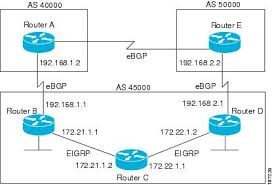
How to configure BGP in cisco router

Configuring BGP on a Cisco router involves initiating the BGP process with router bgp <AS_number>, defining neighbors using neighbor <IP> remote-as <AS_number>, and advertising networks with the network command. For IPv4, use address-family ipv4 to activate neighbors, while ensuring necessary IP connectivity and, for EBGP, proper route policies.  Basic BGP Configuration Steps Advertise Networks: network <network-IP> mask <subnet-mask>  Example: Configuring EBGP between…
Read More

How to apply policy on vlan in cisco switch

Applying policies (such as QoS or security) to a VLAN on a Cisco switch involves defining the policy map and applying it under the VLAN configuration mode or to the Switch Virtual Interface (SVI). Use service-policy type qos input <policy-name within vlan configuration <vlan-id or apply ACLs to the SVI for layer 3 control.  Key Steps and Commands: switch(config)# class-map…

Read More

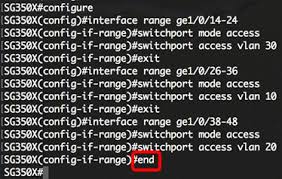
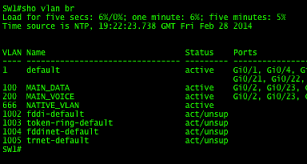
How to configure vlan in cisco switch

To create a VLAN on a Cisco switch, enter global configuration mode, type vlan [ID], name it, and assign ports using switchport mode access and switchport access vlan [ID]. Common commands include vlan 10, name Sales, interface fa0/1, switchport mode access, and switchport access vlan 10. Verify using show vlan brief.  Steps to Create and Configure a VLAN (CLI) Key Considerations

Read More

How to install software in linux

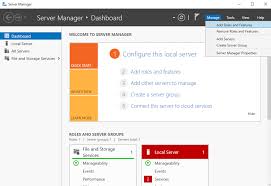
Software in Linux is primarily installed using package managers which access software from online repositories. This can be done through a user-friendly graphical interface (Software Center/Manager) or the command line.  Graphical Method (Recommended for Beginners) Most Linux distributions include a graphical software management application that functions like an app store.  Command-Line Method The command line offers more control…

Read More

Difference between logical and physical address in networking

Logical addresses (IP addresses) are software-assigned, hierarchical, and used for routing data between networks at the Network Layer. Physical addresses (MAC addresses) are hardware-level, burned into NICs, and used for local, node-to-node communication on a LAN. Logical addresses are flexible, while physical addresses are typically permanent.  Key Differences: Comparison Table: Feature  Logical Address (IP) Physical Address…

Read More

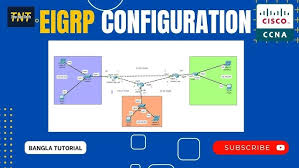
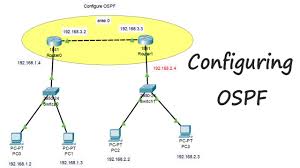
How to configure ospf protocol in cisco switch

Configuring OSPF on a Cisco switch requires enabling routing, creating an OSPF process, defining the Router ID, and assigning interfaces to areas using wildcard masks. Key commands include ip routing (to enable L3), router ospf [process-id], network [address] [wildcard-mask] area [area-id], and show ip ospf neighbor for verification.  Basic OSPF Configuration Steps Alternative: Interface-Level Configuration  Instead of using network statements, you can enable OSPF…

Read More

How to configure aruba access point

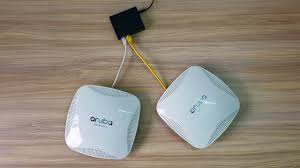
Aruba access point configuration typically involves connecting the AP to a PoE switch, identifying its DHCP-assigned IP, logging into the web interface (default: admin/serial number), setting a new password, and configuring SSIDs via the Instant UI or Aruba Central. Initial setup requires setting the country code and updating firmware.  Initial Setup Steps Configuration Methods This video…

Read More